
Blog / Technology

5 Chevy Features Gulfport Drivers Absolutely Love

Chevrolet vehicles offer a great mix of technology, comfort, safety, and performance that Gulfport drivers value. If you are commuting around town or exploring the Gulf Coast, Chevy's lineup has features designed to make every drive easier and more enjoyable. Here are five standout Chevy features Gulfport drivers love.

Why Gulfport Drivers Love Their Chevys

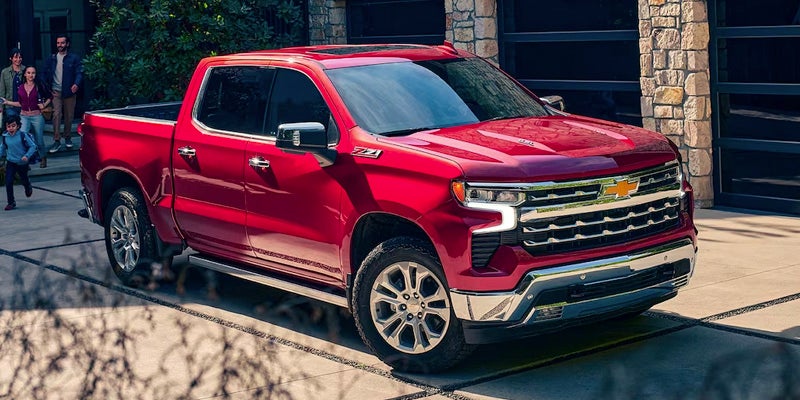
Gulfport drivers love Chevrolets for many reasons. Consumer Reports rated the company as one of the top 25 car brands in 2025. Chevy offers a wide range of models that can handle Gulfport's unique driving needs, from daily commuting to outdoor adventures at the Gulf Islands National Seashore or Buccaneer State Park. Chevrolet trucks, SUVs, and cars are known for their reliability, strong performance, modern technology, and comfortable interiors. For example, the latest Silverado received an 86/100 rating from JD Power.

In an unpredictable climate like Gulfport's, Chevrolet's durable build and advanced safety features give drivers confidence on the road. From fuel-efficient compact models to powerful full-size trucks, Chevy has options that fit every lifestyle and budget. Local dealerships like Turan Foley Chevrolet make it easy for drivers to access the latest Chevrolet models, enjoy expert service, and find financing plans tailored to their needs. From running errands in town to planning a weekend getaway, Gulfport drivers appreciate how Chevy vehicles combine innovation, comfort, and toughness for lasting value on every drive.

Chevy Safety Assist and Driver Confidence

Chevy Safety Assist makes driving safer and less stressful, especially on busy roads and during bad weather common along the Gulf Coast. The package includes six smart safety features that work together to keep you safe.

  • Automatic emergency braking: Notifies you when you're following the car in front of you too closely and can apply the brakes automatically to prevent a collision or reduce the impact.
  • Forward collision alert: Warns you if a front-end crash is possible so you can slow down in time.
  • Front pedestrian braking: Helps prevent hitting pedestrians who step in front of the car by applying brakes automatically.
  • Following distance indicator: Alerts you when you're following too closely, giving you time to back off and keep a safe distance.
  • Lane keep assist with lane departure warning: Sends you alerts if you drift out of your lane and gently steers you back.
  • IntelliBeam headlights: Adjusts your high beams automatically based on surrounding traffic for better visibility without blinding others.

Infotainment & Connectivity Features

Chevy's infotainment system is another fan favorite because it keeps driving convenient, safe, and enjoyable. Most models like the Silverado 1500 include a large 13.4-inch touch screen, making it easy to stay connected on coastal trips. The Chevrolet Infotainment 3 system features navigation, phone, media, and weather apps at your fingertips. Key benefits include wireless Apple CarPlay and Android Auto to connect your smartphone without cords, so you can easily access calls or messages hands-free while driving.

Voice commands via the Google-powered voice assistant let you keep your eyes on the road, adding a layer of safety in busy Gulfport traffic or while navigating Gulf Coast highways like U.S. Highway 90 (US-90). It also includes a built-in Wi-Fi hotspot for up to seven devices, so families can stay connected on long drives.

Comfort and Climate Control for Coastal Living

Climate control is essential for comfort in Gulfport's warm and humid climate. Chevrolet offers automatic climate control systems that let drivers and passengers set their ideal temperatures, often with dual-zone or even tri-zone controls. This means everyone can enjoy their own settings. Other features, like heated steering wheels and heated and ventilated seats, help keep the cabin cool year round.

Chevy models also feature systems that help clear fog or frost for improved visibility. If you are traveling through the city or along the coast, climate control means less distraction and a more enjoyable ride for everyone.

Powertrain Efficiency and Towing Technology

Chevrolet's powertrain efficiency and towing technology provide strong performance, better fuel economy, and safer towing. Chevy offers a variety of options, including efficient turbocharged engines, hybrids, and electric models suited to different driving needs on city streets and coastal highways. Gasoline engines provide reliable power and are easy to refuel. Hybrids balance fuel savings with the long range of a gas engine, making them great for stop-and-go traffic.

Electric powertrains offer low emissions and smooth driving, appealing to eco-conscious buyers. For towing, Chevy equips many trucks and SUVs with technologies like trailer sway control, hill start assist, and trailer brake controllers. These systems help Gulfport drivers tow boats, campers, or trailers safely on busy roads.

Reliability, Style, and Community Trust

Many choose Chevrolet for its solid build and dependable performance. Local reviews praise Chevys for their long-lasting quality, which is crucial for handling humid coastal weather and daily driving. These vehicles balance reliability with modern designs that suit families and professionals alike. From modern sedans to rugged trucks, Chevrolet offers something for every taste and need. Gulfport drivers also value the trusted service and friendly experiences at Turan Foley Chevrolet, where the community comes first. This trusted local dealer is one of the many reasons drivers in Gulfport love Chevy.

Experience These Chevy Features Yourself

If you are in Gulfport and want a vehicle that is safe and offers great tech and reliable performance, consider Chevrolet's lineup. Contact Turan Foley Chevrolet today to explore these features, browse new and used inventory, and schedule a test drive.
Posted in:

Related Posts

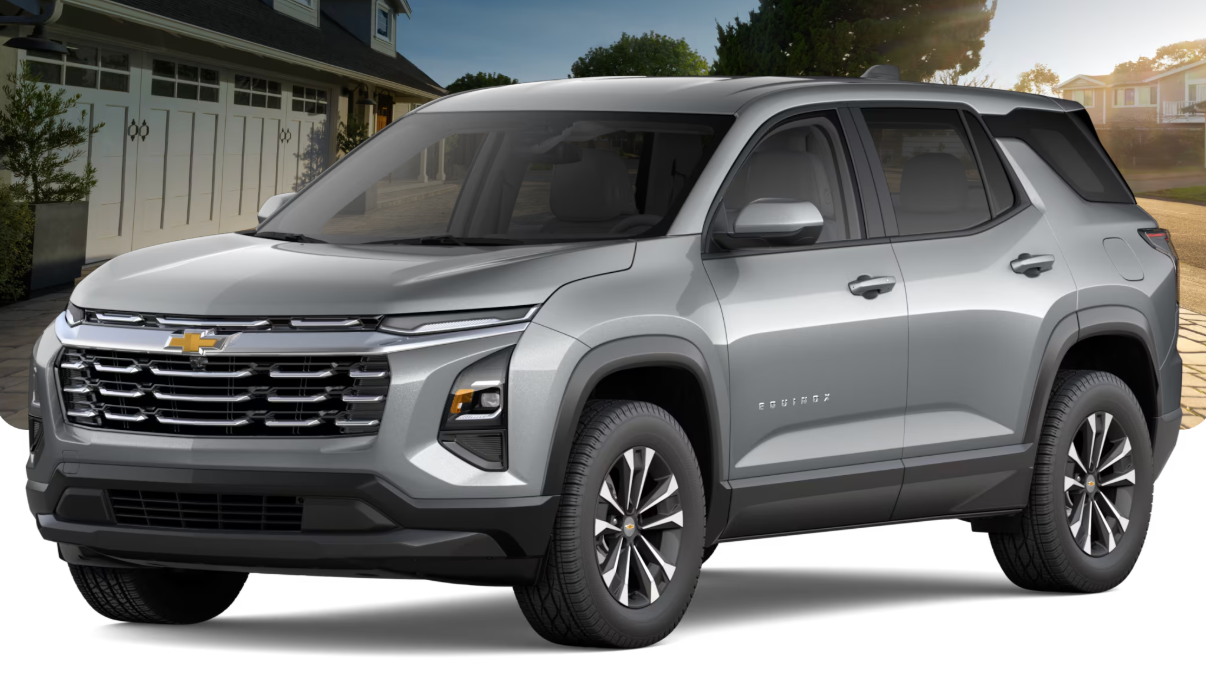
2026 Chevrolet Equinox in Grey

Comparing the 2026 Equinox vs the 2025 Equinox: What's New?

If you're shopping for a Chevrolet Equinox in the Gulfport area and trying to decide between the 2026 or 2025 model, let me break down what really separates these two years. Here's the bottom line: the 2026 Equinox is essentially a carryover year with small tweaks rather than big changes. The real transformation happened with the 2025 redesign, which brought bold new styling, updated technology, and comprehensive safety systems. The 2026 model takes that solid foundation and adds a few refinements. At Turan-Foley Chevrolet, we stock both model years and can help you figure out which one gives you the best bang for your buck based on what you actually need. more 2026 Equinox vs 2025 Equinox: Key Differences at a Glance The 2026 Equinox keeps the same basic architecture, engine, and safety tech that launched with the 2025 redesign. You get the same reliable 1.5-liter turbocharged engine, identical performance numbers, and that modern interior design that our customers really liked in the 2025 version. Where the 2026 vs 2025 Equinox actually differ boils down to three specific updates: there's a new exterior color on certain trims, the Drive Mode Selector is now standard on all models, and they've shuffled around some package options. These changes improve convenience without messing with the core personality that makes the Equinox competitive in the compact SUV market. Specification Equinox (2025/2026) Engine 1.5L Turbocharged I-4 Horsepower 175 hp Torque (FWD) 184 lb-ft Torque (AWD) 203 lb-ft Drivetrain Options FWD / AWD Fuel Economy (Combined, FWD) ~26-27 mpg Drive Mode Selector ACTIV and RS only (2025) / Standard across lineup (2026) Chevy Safety Assist Standard Trim Levels LT, RS, ACTIV What's New for the 2026 Chevrolet Equinox The 2026 model year focuses on targeted updates that make the vehicle more user-friendly and visually appealing without changing everything. Since the 2025 redesign was so thorough, Chevrolet spent the 2026 improvements addressing what customers told them and expanding feature availability rather than creating entirely new systems. Exterior Color and Styling Updates For 2026, ACTIV and RS trims swap out Iridescent Pearl Tricoat for Polar White Tricoat. This gives buyers a fresh choice while keeping that bold, modern look established in 2025. Everything else in the color lineup stays the same, including favorites like Cacti Green, Lakeshore Blue Metallic, Mosaic Black Metallic, Radiant Red Tintcoat, Reef Blue Metallic, Sterling Gray Metallic, and Summit White. The overall design stays consistent with the 2025 model, keeping that sporty silhouette and distinctive front end that helps the Equinox stand out in parking lots across the Gulf Coast. Package and Feature Availability Changes The biggest functional update for 2026 centers on the Drive Mode Selector, which includes Normal, Snow/Ice, and Off-Road settings. This feature was only available on ACTIV and RS trims in 2025, but now it comes standard on all 2026 models, including the LT. This means every buyer gets better control over how the vehicle handles different driving conditions. They've also adjusted how you can get roof-mounted side rails on the LT trim for 2026. Before, these rails only came with the Convenience Package II. Now you can get them when you order the Dual-Pane Power Sunroof or Midnight Edition package, which gives you more flexibility in building your vehicle. Why 2026 Is a Carryover Year: The 2025 Redesign Context The 2025 model year was a complete overhaul of the Equinox. We're talking about a new platform, updated engine, redesigned interior with digital displays, and expanded safety technology. When an automaker invests this heavily in a full redesign, the next year usually serves as fine-tuning rather than another massive update. This actually works out well for buyers because both the 2025 and 2026 models give you essentially the same redesigned Equinox experience. We see customers get great value by going with available 2025 inventory, since the main things that make the Equinox appealing stay identical between these years. Trim Lineup and Pricing: 2026 vs 2025 Both years offer three trim levels: LT, RS, and ACTIV. Each one targets different buyer priorities while sharing the same core technology and safety features. Pricing stays competitive across both years, though exact numbers depend on which trim you choose, what packages you add, and current incentives. Give our team a call at 228-604-8836 to talk about current pricing and what we have in stock for both model years. LT Trims The LT is the bread-and-butter trim, delivering key features at a reasonable price. For 2026, adding the Drive Mode Selector as standard equipment boosts value by giving LT buyers something that used to cost extra on higher trims. This setup works well for practical shoppers who want modern technology, solid safety systems, and comfortable seating without paying extra for sporty styling or adventure-focused elements. The LT includes wireless Apple CarPlay and Android Auto, Google Built-In services, Chevy Safety Assist, and available AWD for drivers who need extra grip in tough conditions. RS Trims The RS trim goes after drivers who want a sportier look and feel. Special exterior styling, sport-tuned suspension, and unique interior details create a more dynamic presence. The 2026 model keeps these characteristics while maintaining the Drive Mode Selector that was already standard on this trim in 2025. The RS tends to appeal to younger buyers and people who see their SUV as part of their personal style rather than just practical transportation. ACTIV Trims The ACTIV trim emphasizes adventure-ready capability with rugged exterior styling, higher ground clearance, skid plates, and AWD as standard. For drivers who regularly hit unpaved roads, deal with winter weather, or enjoy outdoor activities, the ACTIV provides reassuring features without sacrificing everyday comfort. Like the RS, the ACTIV already had the Drive Mode Selector in 2025, so this particular improvement doesn't create much difference between the model years on this trim. Performance and Fuel Economy Comparison Both the 2025 and 2026 Equinox use the same 1.5-liter turbocharged four-cylinder making 175 horsepower. Torque varies slightly depending on drivetrain: 184 lb-ft with FWD and 203 lb-ft with AWD. This engine delivers solid acceleration for highway merging and passing while keeping efficiency reasonable. EPA fuel economy stays consistent between model years at roughly 26-27 mpg combined for FWD models. AWD versions get slightly lower numbers because of increased drivetrain drag, but the trade-off gives you valuable traction for Gulf Coast drivers who sometimes hit wet roads or venture off pavement. The engine works with a smooth automatic transmission that focuses on efficiency during normal driving while delivering quick downshifts when you need extra power. Technology and Safety Features Across Both Model Years Chevy Safety Assist comes standard on both 2025 and 2026 models, delivering comprehensive protection through Forward Collision Alert, Automatic Emergency Braking, Lane Keep Assist with Lane Departure Warning, Front Pedestrian Braking, Following Distance Indicator, and IntelliBeam automatic high beams. These systems work together to help prevent accidents before they happen. The infotainment setup features an 11.3-inch touchscreen with wireless Apple CarPlay, Android Auto, and Google Built-In integration including Google Maps and Google Assistant. Available features include wireless charging, multiple USB-C ports, and navigation depending on your trim choice and packages. Both model years deliver the same core technology experience, so your choice between them won't really change the digital interface or safety capabilities you'll use every day. Should You Buy the 2026 Equinox or the 2025 Model? With such small differences between these model years, your decision usually comes down to what's available, specific package preferences, and current deals rather than major functional considerations. The 2026 model makes sense if you specifically want Polar White Tricoat on an ACTIV or RS trim, if having the Drive Mode Selector standard on the LT matters for how you drive, or if you simply prefer owning the newest model year. The 2025 model often delivers excellent value, especially since many of the 2026 changes either don't apply to what you want or provide minimal real-world benefit. We frequently offer strong incentives on remaining 2025 inventory, potentially saving you money while getting the same redesigned Equinox experience. I'd recommend visiting our showroom to see both model years in person and discuss which option works best with your budget and preferences. Our team can show you available inventory, walk through current incentives, and help you understand the practical impact of the differences I've outlined. Explore the Chevrolet Equinox at Turan-Foley Chevrolet Come visit Turan-Foley Chevrolet to check out both the 2025 and 2026 Equinox models yourself. Our family-owned dealership has served Gulfport and the Gulf Coast for over 50 years, building relationships based on trust rather than treating customers like transactions. Our team knows that choosing between model years involves weighing multiple factors including budget, features, and timing. We'll give you straight talk about what each model year offers and help you figure out which represents the best value for your situation. After you buy, our factory-trained service technicians and complete parts department make sure your Equinox gets expert care throughout your ownership. Call us at 228-604-8836 or visit our contact page to schedule a test drive or talk about current inventory and pricing for both the 2025 and 2026 Chevrolet Equinox.

06 (7)

Explore Whats new for 2025 Chevy Infotainment Features and Tech

If you're driving a Chevy that's a few years old, you might be familiar with the MyLink infotainment system—designed to keep you connected on the go. In Chevy’s latest models, that experience has evolved into the all-new Chevrolet infotainment interface, featuring faster response times, larger touchscreens, and enhanced integration with Google services. At Turan-Foley Chevrolet Buick, we're here to help you explore how these upgrades can make every drive smarter, smoother, and more connected. more Chevy Infotainment 3: Your Ultimate Tech Companion The original Chevy MyLink system gave drivers touch screen controls for basic functions such as music and navigation, plus voice commands for hands-free operation. While it had some useful apps built in, the selection was fairly limited back then. Chevrolet rebranded MyLink as Infotainment 3 in 2019, adding more advanced features and better connectivity options. This modern technology makes every drive more convenient and enjoyable. Key Features of the New Chevy Infotainment System The new Chevy MyLink — Chevrolet Infotainment 3 — offers plenty of ways to customize your driving experience. The system learns what you like and makes everything easier to access. Some of the notable features are listed below. Touch Screen The color touch screen works just like your smartphone, letting you swipe and tap through different options. The screen responds quickly, and you can even add a screen protector to keep it looking new. System Services Navigation The touch screen displays clearly organized icons: navigation, phone, texts, media, weather and more. You can create a Favorites menu for the ones you use the most — a convenient feature when you're in a rush to find something. Car Setting Adjustment The system serves as a convenient control center for your car. You can change the time and date, adjust climate controls, and even modify the keyless access feature through the touch screen. Smartphone Connection The new Chevrolet Infotainment 3 system pairs with your phone through Bluetooth automatically. Once you set it up, your car recognizes your phone every time you start the engine. Voice Commands Push the Talk button on your steering wheel, or tap it on the touch screen, and you can use the system without taking your eyes off the road. Ask it to call someone, play a specific song, or find directions to that new restaurant in Gulfport. Accurate Voice Recognition The voice recognition software in the latest Infotainment 3 system gets better the more you use it. It learns your speech and language patterns and remembers the names you say most often. Voice and Text Messaging The built-in voice system reads your text messages out loud. It even helps you respond using preset messages or voice recognition. Navigation Instructions The navigation system shows a local map of your area and creates routes to wherever you're headed. It gives you detailed directions and warns you about traffic jams or toll gates ahead — a much better method than glancing at your phone while trying to drive through Gulfport traffic. Music Streaming Chevy MyLink on older vehicles and Infotainment 3 on newer models give you access to your personal music library. Both let you download music streaming apps and give you access to millions of songs and personalized playlists right from your touch screen. Wi-Fi Hot Spot The built-in Wi-Fi hot spot in Chevrolet Infotainment 3 can connect up to seven devices, allowing all your passengers to browse websites, stream videos, or download games during long road trips. Family adventures are a lot more peaceful when everyone is entertained. Customizing and Enhancing Your Chevy Infotainment Experience The Chevrolet touch screen puts everything right at your fingertips. You can customize the display however you want, arranging icons for entertainment, contacts, navigation, and more to build an interface that works perfectly for you. Just like your phone, you can drag and drop icons around the home screen. Press and hold any icon to enter Edit mode, then drag it where you want it to go. Your audio system lets you save up to 40 favorite sources from any available medium. These show up in a scrollable bar at the top of the Audio page. Press the Audio button on the home screen, then use the More button to see all available sources or the Browse button to explore new options. Save favorites by touching the Star icon next to any selection or holding the "Hold to Set" tab until you hear a beep. Getting Started With a New Chevrolet Infotainment System Getting your Chevy MyLink or Infotainment 3 system up and running is straightforward. Press the infotainment power button if it doesn't start automatically when you turn on your car. The home screen shows options for navigation, phone connectivity, music, and more. Connect your smartphone with a USB cable or wirelessly if your Chevrolet has that feature. This brings up Apple CarPlay or Android Auto, putting your phone's apps right on the infotainment touch screen. Next, enable Bluetooth for calls and messages, customize your home screen by moving icons around, and accept the terms of use. Updates for Chevrolet Infotainment Systems Technology moves fast, and your Chevy MyLink keeps up through regular over-the-air updates that happen automatically in the background. Your vehicle downloads these updates while you drive, pausing and restarting when you turn off the car or lose connectivity. Just make sure you're parked somewhere with good connectivity when installing; it doesn't work well if your car is underground or in a covered area. The process works in two parts: download and installation. Update notifications pop up on your center display, and you can also manually check for them. After a download completes, you'll get prompted to install the update the next time you start your car. Transform Your Drive With Chevy MyLink or Infotainment 3 Ready to experience these Chevy MyLink features and tech for yourself? The GM infotainment systems keep getting better, and we'd love to show you how they work in person. Visit us at Turan-Foley Chevrolet Buick in Gulfport, Mississippi, to explore the latest Chevrolet models equipped with advanced infotainment technology. Schedule a test-drive, and discover how these features can transform your daily commute into something you'll look forward to.

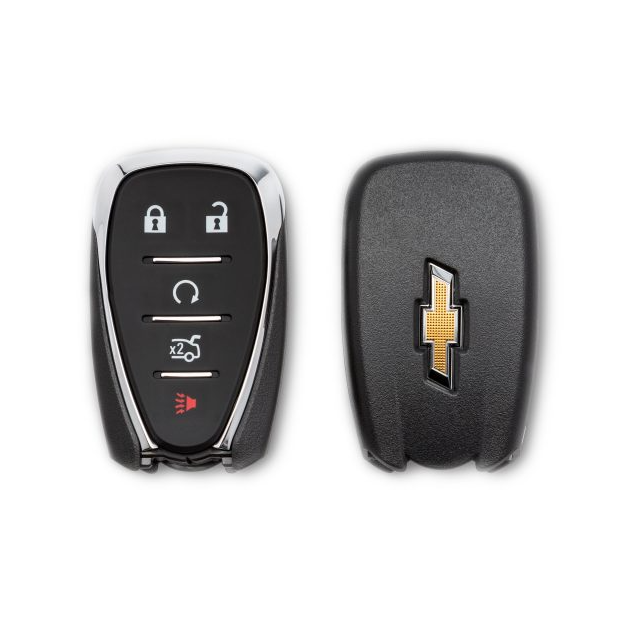
Chevrolet Key Fob front and back

How To Replace the Battery in Your Chevrolet Key Fob

Nothing is more frustrating than pressing your Chevy key fob and getting — nothing. Dead key fobs always seem to happen at the worst possible time, like when you're already running late or it's pouring rain. But there's good news. Replacing your Chevrolet key fob battery is surprisingly simple and takes less than five minutes to do. more You don't need to schedule a dealership appointment or pay someone $50-plus for something you can easily do yourself. At Turan Foley Chevrolet in Gulfport, we'll help you find out how you can get your key fob working again. If you're thinking about upgrading to a new model altogether, our new vehicle inventory has plenty of options with the latest key technology. What Type of Key Fob Do You Have? First things first. You need to work out what type of key fob you have. Chevrolet has used several designs over the years, but the process is essentially the same. The three most common types are: Smart keyless entry remote: This is the latest key fob used in modern Chevrolets with a push-button start. Flip key: Popular in models from 2010-2016, such as the Cameo and the Equinox. Standard remote: Used in older models such as the Suburban and the Silverado. What Battery Does My Chevy Key Fob Need? Most Chevrolet key fobs take a CR2032 3-volt battery, which costs less than $5 online or at any hardware store or pharmacy. However, some newer models may use a CR2450 battery instead. The specific brand doesn't matter, but make sure you have the right size. If you're unsure, you can find a diagram under the battery that will tell you which battery you need. Chevy Key Fob Battery Size Older Chevy fobs, for the years prior to 2020, use a CR2032 battery. Newer Chevy fobs from 2020 onwards use a CR2450 battery, which is slightly larger and thicker. These batteries are not interchangeable, so make sure you double-check which one your fob needs before you buy a battery. Tools You'll Need The good news is that you don't need very much to replace the battery for a Chevy key fob. All you need is: A small flathead screwdriver (If you have a newer model, you can use the metal key itself instead.) A new CR2032 or CR2450 battery A clean, flat workspace That's all you need. You don't need any special tools, and this five-minute fix will save you a trip to the dealership. Step-By-Step Battery Replacement Process Follow this guide to replace your key fob, depending on the type you have: Smart Keyless Entry Remote (The Newest Style) Here's how to replace the battery with the smart keyless entry remote: Press the chrome button on the side of the fob to remove the metal key. Use the metal key to pry open the Chevy key fob by inserting it into the slot at the bottom and twisting gently. Once you have pulled the two sides apart, remove the dead battery using the screwdriver. Insert the new CR2032 or CR2450 battery with the positive (+) side facing down. Close the remote and snap the fob back together. Slide the key back in. Test all buttons to make sure they're working. Flip Key (2010-2016 Models) To replace the battery in a flip key, follow these instructions: Push the button to flip the metal key out. Pull the back off carefully. Replace the battery with the positive side facing down. Snap the cover back in place. Test the fob on your vehicle. Standard Remote Key Fob Here's how to replace the battery with the standard remote: Find the small slot on the side of the key fob. Use the screwdriver to pry off the back to separate the two halves. Use the screwdriver to pop out the old battery. Put the new battery in with the positive side facing up. Press the fob halves back together until they click. Test the fob on your vehicle. If you're experiencing any issues with your Chevrolet vehicle beyond the key fob, you might want to apply for financing on a newer, more reliable model. Signs You Need To Replace Your Key Fob Battery Don't wait until your fob completely dies. Here are the warning signs that you need to replace your battery: You need to press buttons multiple times for it to work. The fob only works when you're close to the vehicle. The lock or unlock functions work intermittently. The range has significantly decreased. Your vehicle displays a “key fob battery low” message. Most Chevy key fob batteries last three or four years with normal use. If yours is dying faster, you might be accidentally pressing buttons in your pocket or purse, which can drain the battery. Troubleshooting and Tips If your key fob still isn't working after replacing the battery, try these fixes: Check that you have positioned the battery properly with the positive side facing up or down. Clean the battery contacts with a cotton swab. Press and hold the lock and unlock buttons together for 15 seconds to reset. Make sure you have reassembled the fob properly with no loose parts. Most Chevrolet key fobs don't require reprogramming after changing the battery, but if yours still isn't working, you might need to sync it with your vehicle. The process varies by model year, so check your owner's manual for specific instructions. Key fobs are just one part of owning a Chevrolet. If you're thinking about upgrading to a newer model with advanced features, browse our new vehicle inventory to find your perfect match. Does Your Chevy Key Fob Battery Need Replacing? Replacing your Chevrolet key fob battery is one of the easiest things to do yourself. It takes minutes, saves money, and keeps you from being stranded with a fob that doesn't work. Remember to dispose of your old battery properly. Most hardware stores and electronics retailers will recycle old batteries for free. If you have questions about your Chevrolet beyond the key fob, our service team is always ready to help with maintenance and repairs to keep your vehicle running smoothly. Visit us at Turan Foley Chevrolet for expert advice today.