



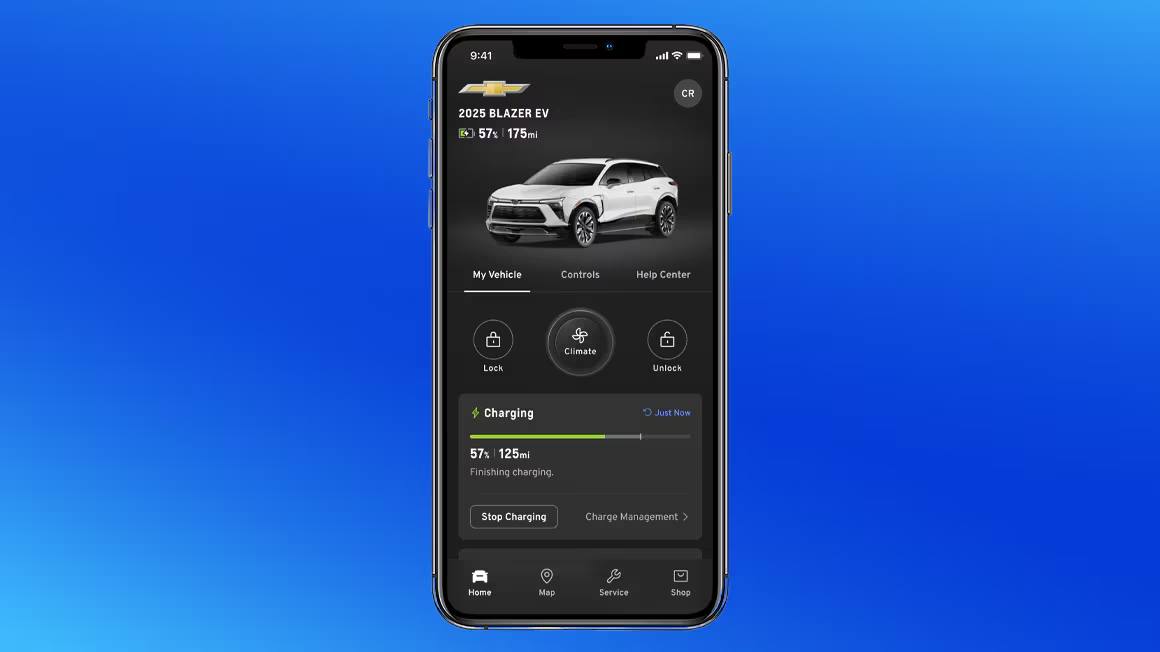
If you’ve recently picked up a new Chevrolet and noticed the myChevrolet app on your phone, you’re probably wondering what it can actually do. Yes, the myChevrolet app works without an active OnStar subscription, but the experience is noticeably different depending on which features you’re after. Knowing where that line falls can save you a lot of frustration. If you want to talk it through right away, feel free to contact our team at Turan-Foley Chevrolet in Gulfport, MS.
So, Does the myChevrolet App Work Without OnStar?
The myChevrolet app works as both a standalone tool and a companion to OnStar’s connected services. Without an active OnStar subscription, you can still access a solid set of features: maintenance tracking, service scheduling, and your digital owner’s manual are all available. The more exciting capabilities, like remote start and emergency assistance, are tied directly to an active OnStar Connected Services plan.
The app essentially has two tiers: a free layer that anyone with a GM account can use, and a connected layer that depends on OnStar’s cellular and GPS technology. The table below shows exactly where the line falls.
| Available Without OnStar | Requires Active OnStar Plan |
| Download and use the app with a GM account | Remote start / stop |
| View digital owner’s manual and how-to videos | Remote lock / unlock |
| Schedule service at a dealer | Live vehicle location / stolen vehicle assistance |
| Recall notifications for your VIN | Send destinations to in-vehicle navigation |
| myChevrolet Rewards points balance | Automatic Crash Response and Emergency Services |
| Maintenance reminders | Roadside Assistance through the app |
| Basic vehicle status display (varies by vehicle/setup) | In-vehicle Wi-Fi Hotspot data |
What You Can Do With the myChevrolet App Without an OnStar Subscription
Even without OnStar, the myChevrolet app delivers genuine value for everyday ownership. It pulls everything vehicle-related into one place, making it easier to stay on top of your car’s needs.
Maintenance Tracking, Owner’s Manual, and Recall Lookup
One of the most practical aspects of the app is how it surfaces maintenance information without requiring any connected services plan. You can check oil life, monitor tire pressure, view fuel levels, and receive alerts when your vehicle is due for service.
The digital owner’s manual replaces the printed booklet in your glove compartment. The recall lookup tool lets you check whether your specific vehicle has any outstanding safety recalls using your VIN. Both are available at no charge.
Service Scheduling, myChevrolet Rewards, and Account Management
The app makes it easy to schedule a service appointment at your preferred dealership without making a phone call. If you’re a myChevrolet Rewards member, your points balance and account details are accessible right within the app as well.
Managing your myChevrolet account, viewing service history, and receiving maintenance reminders all fall into this no-subscription tier. These features are available to any registered user, which makes the app worthwhile even if you never activate OnStar.
Which Features Require an Active OnStar Connected Services Plan
The most talked-about capabilities of the myChevrolet app require an active OnStar plan. These features turn your phone into a remote control for your vehicle and depend on the cellular connectivity and GPS technology that OnStar provides.
Remote Commands: Start, Lock, Unlock, and Vehicle Status
Remote start is probably the most frequently asked-about feature. To use it through the app, you need an active OnStar Connected Services plan. The same applies to remotely locking or unlocking your doors and checking real-time vehicle status, including door position and on-demand tire pressure updates.
These commands are transmitted through OnStar’s cellular network, not over Bluetooth or Wi-Fi. None of that works without an active connected services subscription.
Location Tracking, Emergency Assistance, and Wi-Fi Hotspot
Several safety and convenience features are also gated behind an active OnStar plan. Real-time location tracking, helpful if a vehicle is stolen or if you’re monitoring a teen driver, requires OnStar. Emergency assistance, which connects you with a live advisor during accidents or medical emergencies, is unavailable without a subscription.
The in-vehicle Wi-Fi Hotspot uses OnStar’s connectivity to keep passengers connected on the road, and it also requires an active plan. These aren’t features you can replicate through Bluetooth or the car’s built-in infotainment system.
Vehicle Eligibility and Account Syncing: Why Some Features May Still Be Unavailable
Even with an active OnStar subscription, some features might not show up in your app. This usually comes down to vehicle eligibility and account syncing.
Not every Chevrolet model supports every feature. Compatibility depends on the model year and the technology package installed at the factory. An older Silverado may not support the same remote features as a newer Equinox or Tahoe. Before assuming the app is malfunctioning, confirm that your vehicle’s hardware actually supports the feature you’re trying to use.
Account syncing is another common culprit. If your VIN isn’t correctly linked to your myChevrolet account, or if there’s a mismatch in your account data, certain features may appear unavailable even when they should work. Verifying your account details and re-syncing your vehicle can often resolve these issues quickly.
What Happens to Connected Features When Your OnStar Trial Expires
New Chevrolet vehicle purchases come with a 1-month trial of OnStar One. If you purchase a plan within that 1-month trial, you receive an additional 2 months at no charge, for a total of up to 3 months. When that trial expires, the change is significant: remote start, vehicle tracking, emergency services, and the Wi-Fi Hotspot all stop working until you subscribe to a paid plan.
What remains is the core free tier: maintenance tracking, service scheduling, recall lookup, myChevrolet Rewards access, and the owner’s manual. The app doesn’t disappear, but it loses quite a bit. If you relied on remote start during the trial, that drop in functionality will be noticeable.
Whether to continue with a paid plan really comes down to how much you use those connected features. For drivers who use remote start regularly or value real-time vehicle status updates, a plan tends to make sense. For others, the free tier covers their needs just fine.
How to Download and Set Up the myChevrolet App
Getting started is straightforward. Follow these steps:
- Download the myChevrolet app from the Apple App Store or Google Play at no cost.
- Sign in with your existing GM account or create one using the email address you gave at the dealership.
- Add your vehicle by entering your VIN, found on your dashboard, door jamb, or registration paperwork.
- Complete any OnStar or connected-services pairing prompts if your vehicle supports them.
After syncing, the app populates with your vehicle’s information and displays which features are available based on your subscription status. If you run into any trouble during setup, your local dealership can walk you through it in person.
Frequently Asked Questions About the myChevrolet App and OnStar
Does every Chevrolet model support remote features through the app?
No. Compatibility depends on the model year and factory-installed technology equipment. Newer vehicles like the Tahoe, Traverse, and Silverado 1500 are generally well-equipped for connected services, but older models may have limited support. Checking your vehicle’s specifications or asking a dealership advisor will give you a clear picture of what’s available for your specific vehicle.
Can I use Bluetooth instead of OnStar for app connectivity?
No. Bluetooth supports hands-free calling and media streaming inside the cabin, but it is not a replacement for OnStar’s telematics. Remote commands, real-time vehicle status updates, and location tracking all depend on a cellular connection provided through OnStar. Bluetooth doesn’t have the range or data capabilities to perform those functions remotely.
Is the myChevrolet app free to download and use?
Yes. The app is free to download, and the basic features, including maintenance tracking, the digital owner’s manual, service scheduling, and myChevrolet Rewards access, are available at no charge. The features that require payment are those tied to an active OnStar Connected Services subscription, such as remote start and location tracking.
Get Help Setting Up Your myChevrolet App
If you’ve just purchased a new or pre-owned Chevrolet and want help getting the app up and running, we’re here to help. At Turan-Foley Chevrolet Buick, we’ve been serving the Gulf Coast community, including Gulfport, MS, Biloxi, and the surrounding area, for over 50 years.
If you need help syncing your vehicle, want to know which OnStar plan fits your driving habits, or have questions about connected features on your specific model, our factory-trained team can walk you through it. Stop by at 11123 Hwy 49N, Gulfport, MS 39503, or call us at (228) 206-0327 to get started.
Connect with us


- August 2026
- July 2026
- June 2026
- May 2026
- April 2026
- March 2026
- February 2026
- January 2026
- December 2025
- November 2025
- October 2025
- September 2025
- August 2025
- July 2025
- June 2025
- May 2025
- April 2025
- March 2025
- February 2025
- December 2024
- November 2024
- September 2024
- August 2024
- July 2024
- June 2024
- April 2024
- February 2024
- January 2024